I Stopped Hitting Claude’s Limits. Here Are the 10 Things I Changed.
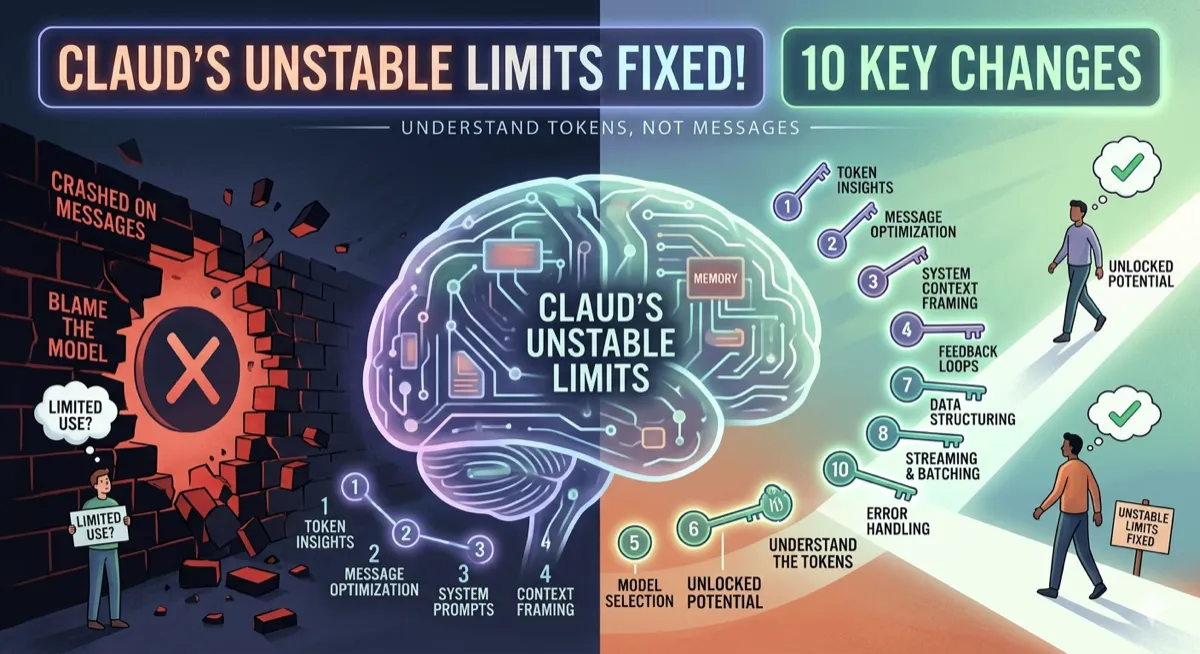
Most people blame Claude when they hit the wall. The real culprit is how they’re using it. Tokens aren’t counted per message — they’re counted per token. Once you understand that, everything else follows.
Staff Writer · April 7, 2026 · 12 min read
| Metric | Value |
|---|---|
| Rolling Usage Window | 5 hours |
| Token Cost: Message 30 vs Message 1 | 31x more |
| Opus vs Sonnet Limit Burn Rate | 2x faster |
Anthropic does not publish exact token counts for its subscription plans. Limits are described in relative terms (Pro, Max 5x, Max 20x). Additionally, in late March 2026, Anthropic adjusted how limits are distributed across peak vs off-peak hours. Some tips in this guide are practical habits; others are responses to that specific change. Always check your Settings → Usage dashboard for your current state.
Here’s the thing nobody tells you about Claude’s usage system: it doesn’t count messages. It counts tokens. And the way most people use Claude burns through tokens at a genuinely alarming rate — not because they’re doing too much, but because they’re doing it inefficiently.
The most common culprit isn’t a single big prompt. It’s conversation drift. Every time you send a message, Claude re-reads your entire chat history to produce the next response. A 30-message conversation doesn’t cost 30 messages’ worth of tokens. It costs closer to 500 messages’ worth, because of how context accumulates.
Once you understand that, the fixes become obvious. Here are ten of them.
The 10 habits
1. Edit your prompt. Don’t send a follow-up.
When Claude doesn’t get it right, the instinct is to send a correction: “No, I meant…” or “That’s not quite right, what I actually need is…” Resist that. Every subsequent message is added to the conversation history, and Claude re-reads all of it every single turn.
The token cost per message isn’t flat — it’s cumulative. The formula is roughly S × N(N+1) / 2, where S is average tokens per exchange and N is the message count:
| Messages | Tokens (at ~500/exchange) |
|---|---|
| 5 | 7,500 |
| 10 | 27,500 |
| 20 | 105,000 |
| 30 | 232,500 |
Message 30 costs 31x more than message 1. Quadratic growth. Most people have no idea this is happening.
Instead: find the message that went wrong, click Edit, fix it, and regenerate. The old exchange gets replaced — not stacked. You pay for one exchange, not two.
2. Start a fresh chat every 15–20 messages.
This follows directly from tip one. A 100-message chat at 500 tokens per exchange burns over 2.5 million tokens — most of it just re-reading history that isn’t helping anymore.
One developer tracked his actual usage and found that 98.5% of his tokens were spent on re-reading conversation history. Only 1.5% went toward generating the actual output he needed.
The fix is deliberate: when a chat gets long, ask Claude to summarize everything relevant. Copy that summary. Open a new chat. Paste the summary as your first message. You get a fresh context window with all the important state preserved — but without carrying 80 messages of accumulated noise.
3. Batch your questions into one message.
Many people think splitting tasks into separate messages produces better results. Almost always, it doesn’t. Three separate prompts means three context loads. One prompt with three tasks means one context load.
| Don’t do this | Do this instead |
|---|---|
| ”Summarize this article" | "Summarize this article, list the main points, and suggest a headline." |
| "Now list the main points" | |
| "Now suggest a headline” |
You save tokens twice: fewer context reloads, and you stay further from your limit. Bonus: batched prompts often produce better answers because Claude sees the full picture immediately rather than building context incrementally.
4. Upload recurring files to Projects, not individual chats.
If you upload the same PDF, style guide, or brief to multiple separate chats, Claude re-tokenizes that document every single time. That’s a significant hidden cost that most people never notice.
The Projects feature handles this differently. Upload your file once — it gets cached. Every new conversation inside that project references it without burning fresh tokens on re-processing. If you regularly work with contracts, briefs, codebase documentation, or any long recurring file, this one change alone can cut your token spend dramatically.
5. Set up Memory and User Preferences once.
Every new chat without saved context wastes 3–5 messages on setup: “I’m a product manager, I write in a direct style, I prefer bullet points, my audience is engineers…” That’s tokens burned on repetition, every single session.
Claude can remember this permanently. Go to Settings → Memory and User Settings. Save your role, communication style, preferred format, and any other defaults you find yourself re-explaining. Claude will apply them automatically to every new chat without you asking.
6. Turn off features you aren’t actively using.
Web search, connectors, and extended thinking all add tokens to every response — whether you need them or not. If you’re writing your own content, web search is adding latency and tokens to every output for no reason. If your first attempt was good enough, extended thinking just burned your budget proving it.
The rule: if you didn’t intentionally turn a feature on for this task, turn it off. Specifically:
- Turn off Search and Tools when you don’t need live information.
- Turn off Advanced Thinking / Extended Reasoning by default — only enable it if your first attempt was clearly insufficient.
These features exist for good reasons. They’re just expensive to run passively.
7. Use Haiku for simple tasks.
This is the most underused optimization. Grammar checking, brainstorming, quick formatting, short translations, extracting a list from a document — Haiku handles all of this at a fraction of Sonnet’s cost. You don’t need a Ferrari to drive to the corner shop.
| Model | Use Case | Cost |
|---|---|---|
| Haiku 4.5 | Quick tasks, drafts, formatting, translation, short answers | Low |
| Sonnet 4.6 | Real work, analysis, coding, writing | Medium (best balance) |
| Opus 4.6 | Deep reasoning, complex problems, hard tasks only | ~2x Sonnet |
Anthropic’s own product lead confirmed that Opus burns through limits roughly twice as fast as Sonnet. That’s not a minor difference. Reserving Opus for tasks that genuinely need it frees up 50–70% of your budget for everything else.
8. Spread your work across the day.
Claude’s usage system runs on a rolling 5-hour window — not a midnight reset. Usage from 9 a.m. stops counting at 2 p.m. If you burn through your entire session limit in a single morning sprint, you’ve effectively wasted most of your daily capacity.
Dividing your work into 2–3 sessions across the day takes advantage of how the window rolls. By the time you return in the afternoon, your morning usage has already started expiring. You’re working with a continuously refreshing budget, not a static one.
9. Work during off-peak hours for intensive tasks.
Starting March 26, 2026, Anthropic confirmed it adjusted how limits are distributed across the day. During peak hours, the same query hits your limit harder than it would at 9 p.m. on a Sunday. Your total weekly limit hasn’t changed — but how fast you burn through it in a single session has.
Peak hours: 5 AM–11 AM Pacific Time on weekdays (heavier deduction)
For users outside the US:
- 5 AM–11 AM Pacific = 1–7 PM UK
- 5 AM–11 AM Pacific = 2–8 PM Central Europe
- 5 AM–11 AM Pacific = 9 PM–3 AM India
Check where your working hours fall relative to these windows. If you’re in Asia or Eastern Europe, you may be working peak hours without knowing it. Resource-intensive tasks — long Claude Code sessions, deep research prompts, complex document analysis — are better run evenings and weekends.
10. Enable Extra Usage as a safety net.
This one isn’t about saving tokens. It’s about not losing your work at the worst possible moment — mid-refactor, mid-document, mid-analysis — because the session wall appeared without warning.
Pro, Max 5x, and Max 20x subscribers can enable an Overage / Extra Usage option under Settings → Usage. When your session limit is reached, Claude switches to pay-as-you-go billing at API rates instead of blocking you. You set a monthly spending cap to prevent surprises.
Think of it as insurance, not as permission to be careless. Combined with the other nine habits, you probably won’t ever trigger it. But having it enabled means a limit hit becomes a speed bump, not a wall.
What’s actually happening underneath
In late March and early April 2026, a wave of Claude Max subscribers — including people on the $200/month Max 20x plan — reported burning through their 5-hour session limit in under 20 minutes. Some said their limit was gone in the time it took to have one Claude Code session. Anthropic acknowledged the issue publicly and released an explanation.
“We’re sorry this has been a bad experience. The main reasons were tighter limits during peak hours and the higher cost of 1M-context sessions.” — Lydia Hallie, Anthropic Product Lead, April 2026
The response sparked genuine frustration. Many users felt that being told to “switch from Opus to Sonnet at the start of a session” was shifting the blame onto the customer for using a product as advertised. And there’s a real grievance there: Anthropic doesn’t publish exact token counts for subscription plans. You can’t know in advance how much a given workflow will cost in session terms. You find out by running into the wall.
That’s the honest context for this guide. These aren’t workarounds for a broken product — they’re the habits that make any token-based system work better, because you’re working with the economics rather than against them. The underlying math of conversation context accumulation isn’t unique to Claude. It applies to any LLM that processes full conversation history on every turn.
The key insight: Claude doesn’t count messages. It counts tokens. And every new message in a long conversation re-reads the entire history. This quadratic growth is why tip 1 and tip 2 — edit instead of follow up, and start fresh chats regularly — have the highest ROI of anything on this list. The rest are optimizations. Those two are structural.
Putting it together
The first few days of applying these habits feel slightly deliberate — you’ll catch yourself about to send a correction message and have to consciously stop, edit instead, regenerate. But it gets automatic fast. Within a week, most people report that their usage patterns change significantly without any extra cognitive load.
The real payoff isn’t just avoiding limits. It’s that better token hygiene almost always produces better outputs. Shorter, more focused conversations give Claude cleaner context. Batched prompts give Claude the full picture upfront. The same habits that save your budget also tend to make the responses sharper.
One last thing: check Settings → Usage regularly. Anthropic’s limits are relative, not published as hard numbers. Your dashboard is the only reliable signal you have for where you actually stand. The ten habits above change how fast you get there — the dashboard tells you how far you’ve traveled.
Sources
- Anthropic peak hour adjustment: The Register, March 26, 2026
- Claude Code quota crisis: The Register, March 31, 2026
- Anthropic apology and backlash: PiunikaWeb, April 3, 2026
- 5-hour rolling window mechanics: Claude Pro & Max limits guide
- Claude Code token usage guide: LaoZhang AI Blog, April 2, 2026
- Claude Max plan context: IntuitionLabs, February 2026
For a deeper understanding of how LLMs process context and why these token economics matter, I recommend Designing Data-Intensive Applications by Martin Kleppmann — it covers the foundational concepts that underpin all modern AI systems.
This article is for informational purposes only and does not constitute professional advice. Anthropic does not publish exact token counts for subscription plans. The formulas and ratios in this article are based on publicly available usage mechanics and third-party analysis. Settings and limits may change — verify your current state in Settings → Usage. The 2x Opus/Sonnet ratio is from Anthropic’s own product lead post in April 2026.



Comments
Loading comments...