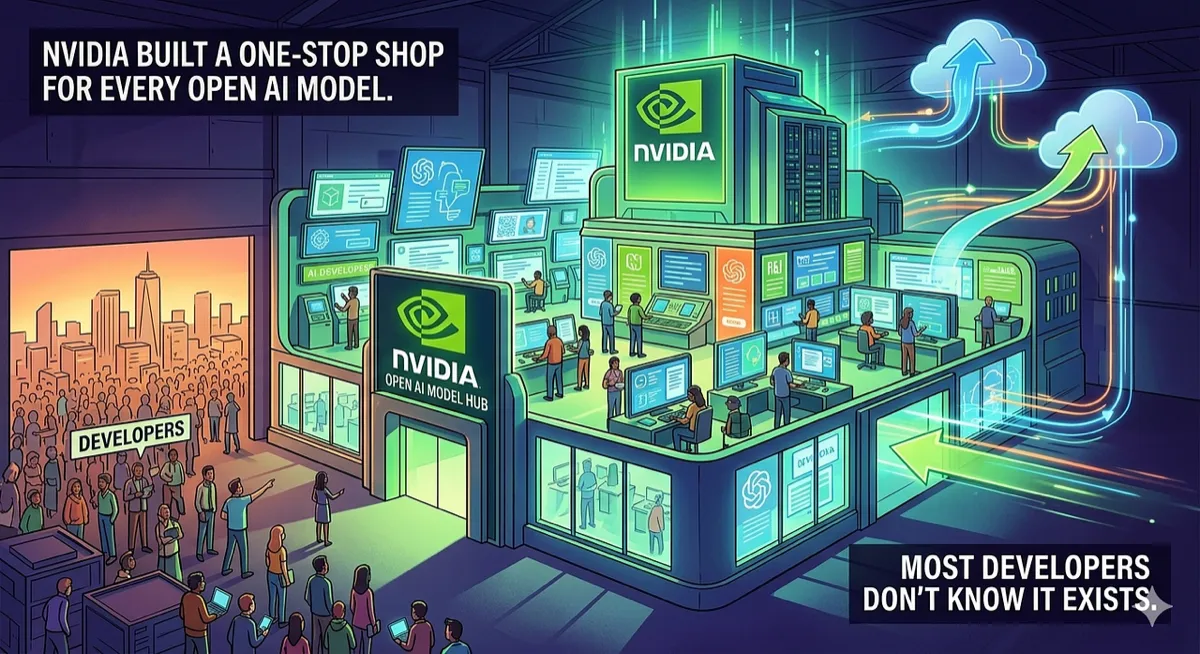
NVIDIA Built a One-Stop Shop for Every Open AI Model. Most Developers Don’t Know It Exists.
There’s a page on developer.nvidia.com that lists every major open model, with optimized containers, tutorials, and deployment guides for each one. It’s the best-organized AI resource nobody talks about.
AI Infrastructure | LLM Deployment | Developer Tools | March 2026 ~14 min read
The problem with open models right now
Open-weight AI models are everywhere. Llama on Hugging Face. Gemma on Kaggle. Qwen on ModelScope. DeepSeek on their own site. Phi on the Microsoft blog. Nemotron buried in an NVIDIA research page.
Every model family has its own download location, its own quantization formats, its own recommended serving framework, and its own set of tutorials scattered across GitHub repos, blog posts, and Discord channels. Finding the model is easy. Figuring out how to actually run it well on your specific hardware is the hard part.
A developer who wants to deploy DeepSeek-R1 has to answer a series of questions before writing a single line of code. Which quantization should I use? FP8? FP4? INT8? Does TensorRT-LLM support this model yet? What about vLLM? What’s the throughput difference between Hopper and Blackwell for this architecture? Where’s the container? Is there a NIM for it?
These answers exist, but they’re spread across 15 different pages, blog posts, and GitHub READMEs.
NVIDIA AI Models puts all of it in one place.
What the page actually is
It’s a curated directory of every major open AI model family, organized by model family with three sections per model: Explore, Integrate, Optimize. Each section links directly to the specific resources a developer needs at that stage of the workflow.
As of March 2026, the page covers these model families:
| Model Family | Parameters | Use Case |
|---|---|---|
| Llama | 8B–405B | General-purpose, instruction-following |
| DeepSeek | 7B–671B | Reasoning, code generation |
| Gemma | 2B–27B | Lightweight, efficient inference |
| Qwen | 0.5B–72B | Multilingual, long context |
| Phi | 1.3B–14B | Small, efficient, edge deployment |
| Nemotron | 8B–340B | NVIDIA-optimized, enterprise |
| Mistral | 7B–8x22B | MoE, efficient at scale |
| Command R | 35B–104B | RAG, enterprise search |
That’s eight model families, from 600M-parameter edge models up to trillion-parameter MoE systems. Each one gets the same treatment: explore (demos, sample apps, benchmarks), integrate (containers, frameworks, getting started guides), optimize (TensorRT-LLM, quantization, serving).
The three-stage structure
The page isn’t organized by model size or benchmark score. It’s organized by what a developer is trying to do.
Explore: see what it can do
Every model family starts with links to demos, sample applications, and performance benchmarks. This is the “should I care?” section.
For DeepSeek, the explore section includes:
- A benchmark showing 15x performance gains on Blackwell GB200 NVL72 vs Hopper H200
- A community tutorial for running DeepSeek-R1 on a Jetson Orin Nano (the $250 edge board)
- A blog post on sparse attention in vLLM
- A guide to automating GPU kernel generation with DeepSeek-R1
For Llama, there’s a RAG example using Llama 3 and LlamaIndex, a voice agent demo on Jetson, and a walkthrough for building an AI agent in five minutes with the 405B NIM.
The point isn’t comprehensiveness. It’s curation. Someone at NVIDIA picked the 3–5 most useful resources for each model and put them in order. That’s worth more than a search results page with 200 hits.
Integrate: get it running
This is where the page gets practical. For each model family, there are:
- Container downloads from the Jetson AI Lab
- Framework-specific guides for Hugging Face Transformers, Ollama, vLLM, and SGLang
- Customization paths using NeMo for fine-tuning
- Platform-specific setup for RTX workstations, data center GPUs, and cloud instances
A concrete example. Say you want Gemma 3 running locally. The integrate section gives you three options in one glance:
- Download the Jetson container from the AI Lab (edge)
- Clone the Chat With RTX GitHub repo (Windows RTX)
- Customize with NeMo (enterprise fine-tuning)
Each option is a single link. You pick the one that matches your hardware and move on.
Optimize: make it fast
The third section is where NVIDIA’s hardware advantage becomes obvious. Every model family has optimization guides specific to NVIDIA’s inference stack:
- TensorRT-LLM integration
- Quantization workflows with TensorRT Model Optimizer (FP8, FP4, INT4)
- Speculative decoding setups (like the 3x Llama 3.3 70B boost)
- Disaggregated serving with Dynamo for multi-GPU deployments
- Compatibility guides for community frameworks like vLLM and SGLang
The DeepSeek optimization section, for instance, walks through FP4 quantization with TensorRT Model Optimizer, then links to a vLLM deployment workflow. Qwen3 gets a disaggregation performance evaluation on GB200. Llama gets speculative decoding benchmarks.
These aren’t generic “run it faster” tips. They’re model-specific, hardware-specific optimization paths with actual numbers attached.
NIM: the part developers should care about most
Every model family on the page includes links to NVIDIA NIM (NVIDIA Inference Microservices). This is where the page goes from “directory of links” to “actually useful infrastructure.”
NIM packages a model with its optimized runtime into a container you can pull and run:
# Pull and run DeepSeek-R1 as a NIM microservice
docker run -d --gpus all \
  -p 8000:8000 \
  nvcr.io/nim/deepseek-ai/deepseek-r1

# Call it with the OpenAI-compatible API
curl -X POST http://localhost:8000/v1/chat/completions \
  -H "Content-Type: application/json" \
  -d '{
    "model": "deepseek-r1",
    "messages": [{"role": "user", "content": "Explain quantum entanglement"}]
  }'
One docker run. No dependency management. No model downloading. No quantization configuration. No TensorRT compilation. The container handles all of it.
The API is OpenAI-compatible, so existing code that talks to GPT-4 works with NIM by changing the base URL. That’s a real advantage for teams that want to self-host without rewriting their application layer.
For prototyping, NVIDIA also hosts NIMs on the API Catalog at build.nvidia.com. You can test models with API calls before deciding whether to self-host. The free tier gives you enough credits to evaluate a model without setting up any infrastructure.
from openai import OpenAI

# Test on NVIDIA's hosted API first
client = OpenAI(
    base_url="https://integrate.api.nvidia.com/v1",
    api_key="nvapi-..."  # free tier available
)

response = client.chat.completions.create(
    model="meta/llama-3.1-405b-instruct",
    messages=[{"role": "user", "content": "Write a haiku about GPUs"}]
)

# When ready to self-host, just change the base_url
# client = OpenAI(base_url="http://localhost:8000/v1")
The switch from prototyping to production is literally one line of code. That’s good design.
Ollama integration (the overlooked part)
Every single model family on the page links to Ollama. This matters more than it might seem.
Ollama is how most individual developers actually run local models. It’s simpler than vLLM, lighter than TensorRT-LLM, and runs on consumer hardware. The NVIDIA AI Models page treats it as a first-class deployment target, not an afterthought.
# These all work, and the NVIDIA page links to each one
ollama run deepseek-r1
ollama run gemma3
ollama run llama4
ollama run qwen3
ollama run phi4
For developers who aren’t deploying to a data center, who just want a model running on their RTX 4090 for local development, the Ollama path is the one that matters. The fact that NVIDIA gives it equal billing with their enterprise NIM containers suggests they understand that developer adoption starts at the laptop, not the data center.
The Blackwell Ultra numbers
The page includes a section on NVIDIA Blackwell Ultra (GB300 NVL72) performance that’s worth pulling out separately. The headline claim:
Up to 50x better performance and 35x lower cost for agentic AI
Compared to what? Hopper H200. The context is agentic workloads, which are inference-heavy, latency-sensitive, and involve long context windows.
| Model | Blackwell vs Hopper | Workload |
|---|---|---|
| DeepSeek-R1 | 15x faster | Reasoning |
| Llama 3.3 70B | 3x faster (speculative) | Instruction |
| Qwen3 72B | 8x faster | Long context |
These are NVIDIA’s own benchmarks, so the usual caveats apply (optimized for the comparison, specific batch sizes, specific sequence lengths). But the ratios are large enough that even halving them leaves a meaningful gap between generations. And the benchmarks are per-model, not aggregate, which means developers can find the specific hardware comparison for their specific model choice.
Who this page is for (and who it isn’t)
The page works well for a specific developer profile: someone who has already decided to use an open model and needs to figure out deployment. The explore/integrate/optimize flow matches the actual decision sequence.
It’s less useful if you’re trying to choose between models. Each model family is presented independently with its own benchmarks. There’s no cross-model comparison, no “which model for which task” guide. You’d need the API Catalog or a third-party benchmark site for that.
It’s also NVIDIA-only, by design. The Ollama links are somewhat hardware-agnostic, but TensorRT-LLM and NIM are NVIDIA-specific. If you’re deploying on AMD or Intel, most of the page doesn’t apply.
The page is inference-focused. Fine-tuning gets brief mentions (NeMo framework links), but there’s no training benchmark data, no distributed training guides. This is about running models, not building them.
And it lags behind new releases. When a brand new model drops from a startup nobody’s heard of, it won’t appear here until NVIDIA has optimized it. Hugging Face will have it days or weeks earlier.
What NVIDIA gets out of this
The page is free. The NIM containers are free for development. The API Catalog has a free tier. So what’s the business model?
Hardware sales. Every optimization guide on the page demonstrates that NVIDIA GPUs run these models faster. Every benchmark shows Blackwell beating Hopper. Every NIM container is optimized for NVIDIA silicon. The page is a funnel: explore a model, see how fast it runs on NVIDIA hardware, decide to buy NVIDIA hardware (or rent it from a cloud provider).
This isn’t a criticism. It’s the same model every hardware company uses. Intel publishes optimization guides for their CPUs. AMD publishes ROCm benchmarks. Apple publishes MLX performance numbers. The difference is that NVIDIA’s page is better organized and covers more models than any competitor’s equivalent resource.
The NeMo framework links also funnel toward NVIDIA’s enterprise offering. Customizing a model with NeMo works best on NVIDIA DGX systems. The “customize with your own data” path leads naturally to enterprise hardware purchases.
The Jetson angle that nobody talks about
Hidden in the integrate sections is something worth calling out: almost every model family has Jetson deployment resources. Jetson is NVIDIA’s edge computing platform, the small $250-$2000 boards used for robotics, embedded systems, and IoT.
DeepSeek-R1 on Jetson Orin Nano. Gemma on Jetson. Llama 3 as a voice agent on Jetson. Phi on Jetson. These are real deployment targets with real container downloads.
The implication: the same page that helps a cloud engineer deploy Llama on an H100 cluster also helps a robotics engineer deploy Llama on a $250 board. Same model, same documentation structure, vastly different hardware. That breadth of coverage across edge and data center hardware is something no other AI hardware company’s developer portal currently matches.
Practical walkthrough: from zero to deployed
Here’s what the page looks like in practice. Say you’re a developer building a customer service chatbot and you’ve chosen Qwen3 as your base model.
First, you click through the Qwen section. Read the blog post about integrating Qwen3 into production. Watch the NIM video. Now you have a sense of what the model can do.
Then you prototype. Go to build.nvidia.com, find Qwen3 on the API Catalog, test it with your actual prompts. No local setup. Just API calls. You verify it handles your use case before committing to anything.
Once you’re convinced, you self-host. The integrate section links to the NeMo customization guide. You fine-tune on your customer service transcripts. The optimize section links to TensorRT-LLM quantization, so you quantize to FP4 for Blackwell or FP8 for Hopper.
Finally, you pull the NIM container, load your fine-tuned weights, and deploy behind your API gateway. The OpenAI-compatible endpoint means your frontend code doesn’t change.
One page of links, no Googling, no Stack Overflow spelunking, no Reddit threads asking “what’s the best way to deploy Qwen3?”
That’s what the page is for.
Try it
- NVIDIA AI Models — the main page
- NVIDIA API Catalog — hosted model APIs for prototyping
- NVIDIA NIM — containerized inference microservices
- TensorRT-LLM — open-source inference optimization
- NeMo Framework — model customization and fine-tuning
No account required to browse the AI Models page. The API Catalog requires a free NVIDIA developer account. NIM containers are free for development use.
Disclaimer: This article is based on the publicly available NVIDIA AI Models page at developer.nvidia.com/ai-models as of March 2026. The author has no affiliation with NVIDIA. Performance benchmarks cited in this article come from NVIDIA’s own published materials and have not been independently verified. NVIDIA-reported speedups compare specific configurations and may not reflect all deployment scenarios. NIM container availability and API Catalog pricing may change. “Free for development” does not mean free for production at scale. Model availability on the page lags behind new releases. This article covers NVIDIA’s developer resources, not competing platforms from AMD, Intel, or other hardware providers, which may offer comparable resources for their own hardware. The page is a marketing and developer relations tool in addition to being a technical resource.

Comments
Loading comments...