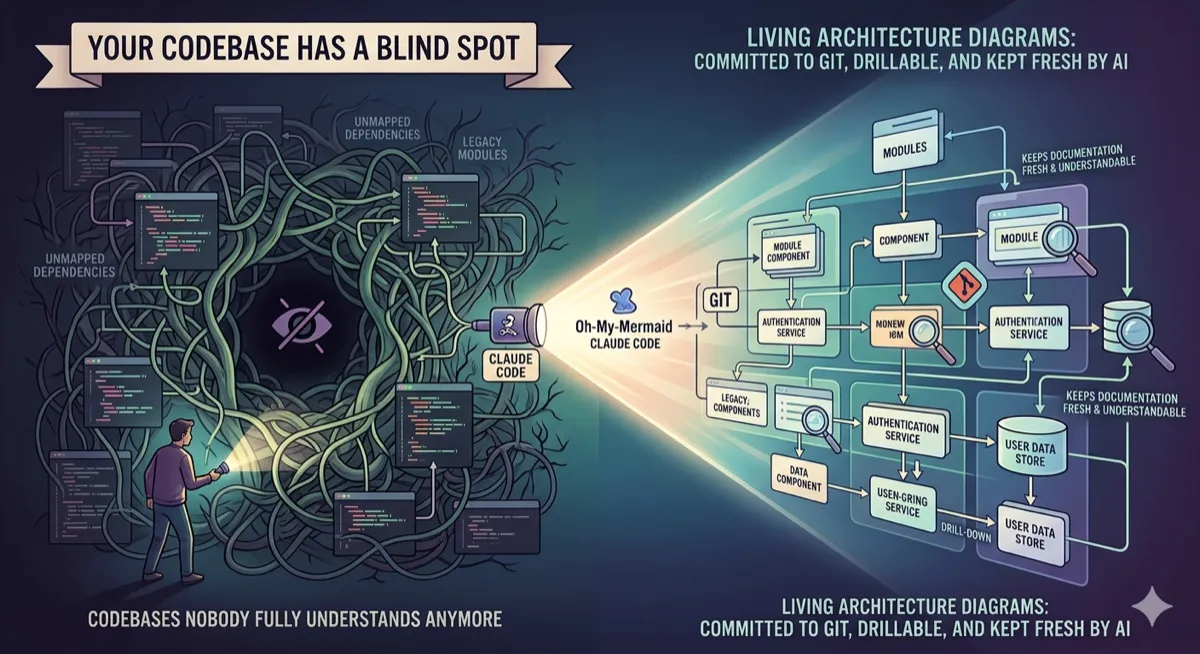
CLI-Anything turns Photoshop into a terminal command. Blender too. And GIMP. And Zoom.
One plugin scans a desktop app’s source code and generates a complete command-line interface for it, so AI agents can use software that was built for humans.
Developer Tools | AI Agents | Software Automation | March 2026 ~11 min read
The problem nobody bothered to solve
AI agents can write code, search the web, read files, and run shell commands. What they can’t do is open GIMP and remove a background from a photo.
A coding agent with access to every npm package and every API endpoint on the internet still can’t do what a graphic design intern does on day one: open an application, click some buttons, and export a result.
The workarounds are ugly. Screen-scraping tools take screenshots of the GUI and try to figure out where to click. They’re slow, brittle, and break whenever the UI changes. RPA bots record click sequences that fall apart when a dialog box appears in a slightly different position. Custom API wrappers only exist for a handful of popular applications, and they’re expensive to maintain because every UI update can break the bindings.
The deeper issue is that desktop software was never architected for non-human use. Web applications got APIs because they had to talk to frontends over HTTP. Mobile apps got APIs for the same reason. Desktop apps just talked to themselves. The rendering engine, the business logic, the file I/O, everything lived behind a GUI event loop. If you weren’t a human moving a mouse, you weren’t a user.
Most professional software (Blender, GIMP, LibreOffice, Audacity, OBS Studio, Shotcut, Kdenlive) has no agent-friendly interface at all.
CLI-Anything from the University of Hong Kong takes a different approach. Instead of trying to interact with the GUI, it reads the application’s source code and generates a complete command-line interface that wraps the application’s internal APIs. The agent never sees a pixel. It just runs shell commands.
# This is what an agent controlling GIMP looks like
cli-anything-gimp project new --width 1920 --height 1080 -o poster.json
cli-anything-gimp --json layer add -n "Background" --type solid --color "#1a1a2e"
cli-anything-gimp filter gaussian-blur --radius 4.0
cli-anything-gimp export --format png -o result.png
No screenshots, no pixel-hunting. Just structured commands that return JSON.
How it works: seven phases, one command
Point CLI-Anything at a codebase. It does the rest.
/cli-anything:cli-anything ./gimpThat single command triggers a 7-phase pipeline:
| Phase | What happens |
|---|---|
| 1. Analyze | Scans source code, maps GUI actions to internal API calls |
| 2. Design | Architects command groups, defines state model, plans output formats |
| 3. Implement | Builds a Click CLI with REPL, JSON output, undo/redo |
| 4. Plan tests | Creates TEST.md with unit + end-to-end test plans |
| 5. Write tests | Implements the full test suite |
| 6. Document | Updates documentation with results |
| 7. Publish | Creates setup.py, installs to PATH |
After Phase 7, there’s a working CLI on the system. which cli-anything-gimp returns a path. Any agent can call it.
The AI agent doing the generation (Claude Code, Codex, OpenClaw, or whatever runs the pipeline) reads the application’s source code, understands its internal API surface, and writes a Python Click CLI that wraps those APIs. The generated CLI includes help text, JSON output, session management, undo/redo, and an interactive REPL.
1,588 tests pass across 13 generated applications as of March 2026. These aren’t hello-world tests. They run real software: GIMP renders images, Blender creates 3D scenes, LibreOffice generates PDFs.
What agents actually get back
Compare the two modes of interaction.
When an agent screen-scrapes a GUI, it gets an image. It has to parse that image, identify UI elements, figure out what to click, handle loading states, deal with dialog boxes, and hope the resolution and scaling match whatever worked last time.
When an agent calls a CLI-Anything command, it gets this:
{
  "status": "success",
  "project": {
    "id": "poster-001",
    "width": 1920,
    "height": 1080,
    "layers": 3,
    "format": "xcf"
  },
  "message": "Project created"
}
Structured and deterministic. Same input, same output, every time. No vision model required. Just JSON in, JSON out.
This matters because error handling changes completely. When a GUI-scraping agent gets an unexpected dialog, it has to reason about an image it’s never seen before. When a CLI command fails, it returns a JSON error with a message and a code. The agent can parse the error, decide whether to retry or try a different approach, and move on. The failure mode is a string, not a mystery screenshot.
The --json flag is standard across every generated CLI. Agents use JSON mode; humans get human-readable output by default.
The 13 applications they tested
CLI-Anything has been tested on professional software that was never designed for programmatic access:
Creative and media:
| Application | What the CLI does |
|---|---|
| GIMP | Image editing: layers, filters, color adjustments, export |
| Blender | 3D scene creation, rendering, animation, mesh operations |
| Shotcut | Video editing: cuts, transitions, effects, export |
| Inkscape | Vector graphics: shapes, paths, text, SVG operations |
| Audacity | Audio: recording, effects, noise reduction, export (via sox) |
| OBS Studio | Streaming: scene setup, source management, recording |
| Kdenlive | Video: timeline management, effects, rendering |
Productivity and communication:
| Application | What the CLI does |
|---|---|
| LibreOffice | Documents, spreadsheets, presentations: read, create, export to PDF |
| Zoom | Meeting management, scheduling, participant control, recording retrieval |
Diagramming:
| Application | What the CLI does |
|---|---|
| Draw.io | Create and manipulate diagrams, flowcharts, architecture visuals |
Each generated CLI is a Python package installed via pip install -e . and callable from any terminal. An agent doesn’t know or care that it’s talking to Blender. It just calls cli-anything-blender scene create --objects cube,light,camera and gets JSON back.
The refine loop
The first generation covers the most common operations. But professional software has deep feature sets. GIMP alone has hundreds of filters, dozens of color modes, and a plugin architecture that extends its capabilities further. The initial pass won’t cover everything, and it shouldn’t try to. Getting the 20 most-used operations right is more valuable than getting 200 operations half-right.
CLI-Anything handles the long tail with iterative refinement:
# Broad: agent analyzes what's missing and fills gaps
/cli-anything:refine ./gimp

# Focused: target a specific area
/cli-anything:refine ./gimp "batch processing and filters"
Each refine run performs gap analysis, comparing the software’s full capabilities against current CLI coverage, then implements new commands, tests, and docs for what’s missing. The process is non-destructive and incremental. Run it five times and get five layers of coverage.
The uncomfortable thesis
There’s a slide in CLI-Anything’s docs that spells it out:
Today’s Software Serves Humans. Tomorrow’s Users Will Be Agents.
The implication is uncomfortable for anyone building desktop software. If agents become the primary “users” of professional tools, the GUI becomes optional. Not useless (humans still need it for exploration and creative work) but secondary. For execution, batch processing, and automated pipelines, the CLI becomes the real interface.
Consider a workflow that a marketing team runs weekly:
- Download campaign images from a shared drive
- Resize each image to three different dimensions
- Add a watermark
- Convert to WebP
- Upload to the CDN
A human does this in GIMP, clicking through each step for each image. Takes an hour.
An agent with cli-anything-gimp:
for img in campaign_*.png; do
  for size in 1200x628 1080x1080 1920x1080; do
    cli-anything-gimp resize "$img" --dimensions "$size" \
      | cli-anything-gimp watermark --logo brand.png --position bottom-right \
      | cli-anything-gimp export --format webp -o "output/${img%.png}_${size}.webp"
  done
done
Four minutes. No GUI. Same GIMP rendering engine underneath.
The bet here is simple: professional software has decades of accumulated capability, rendering engines, audio processors, video codecs, all locked behind mouse-driven interfaces. A generated CLI makes that capability available to agents without requiring the software vendor to lift a finger.
What makes this different from, say, ImageMagick (which already does batch image processing from the command line) is scope. ImageMagick is one tool that does image manipulation. CLI-Anything is a method for generating CLI wrappers around any application. The generated GIMP CLI can do things ImageMagick can’t, because it has access to GIMP’s full plugin ecosystem, its layer compositing engine, and its format-specific export options. The same logic applies to Blender versus standalone 3D converters, or LibreOffice versus pandoc. The wrapped application is always more capable than the standalone alternative, because the standalone alternative is a reimplementation and the wrapper uses the real thing.
Anything with a repo, in theory
CLI-Anything isn’t limited to the 13 tested applications. If it has source code, it can get a CLI.
Their docs list categories well beyond media and productivity:
| Category | Examples |
|---|---|
| AI/ML platforms | Stable Diffusion, ComfyUI, Open WebUI, Fooocus |
| Data and analytics | JupyterLab, Apache Superset, Metabase, DBeaver |
| Dev tools | Jenkins, Gitea, Portainer, pgAdmin, SonarQube |
| Scientific computing | ImageJ, FreeCAD, QGIS, ParaView, KiCad |
| Enterprise | NextCloud, GitLab, Grafana, Mattermost, Odoo |
The limiting factor isn’t CLI-Anything itself but whether the application’s source code is available and whether it exposes an internal API that can be programmatically invoked. Open-source software with well-structured backends works best. Closed-source applications with no scripting interface are a dead end.
Worth noting: “has source code” and “is easy to wrap” are different things. A large C++ application with no Python bindings and a tightly coupled GUI layer will be much harder to wrap than a Python application with a clean separation between its UI and its logic. The list of supported categories in the docs is aspirational. The 13 tested applications are the proven ones.
The self-describing trick (this is clever)
Every generated CLI ships with a SKILL.md file inside the Python package. When the REPL starts, the banner displays the absolute path to this file.
This solves the discovery problem, which is one of the less obvious but more important problems in agent tooling. An agent that’s been told “edit this image” needs to figure out how. If there’s a tool on the system that can do it, the agent needs to find that tool, understand its interface, and call it correctly. Without discovery, the agent is stuck searching documentation or guessing.
With SKILL.md, the agent can run which cli-anything-gimp, find it, then read the skill file to learn what commands exist, what they return, and how to chain them together.
$ cli-anything-gimp
Welcome to CLI-Anything GIMP v1.2.0
SKILL.md: /usr/local/lib/python3.10/cli_anything/gimp/skills/SKILL.md
Type 'help' for commands, 'exit' to quit.
gimp>
The agent reads SKILL.md, knows what the tool can do, and starts working. No separate documentation step, no web lookup. The tool carries its own manual.
Where it falls short
The demo results look good, but the honest picture includes gaps worth knowing about.
The generated CLIs depend on the target application being installed and accessible. cli-anything-blender calls Blender’s Python API, which requires Blender to be installed. No Blender, no rendering. The CLI is a wrapper, not a reimplementation.
Some applications have Python APIs. Some have scripting interfaces. Some have neither. The better an application exposes its internals, the better the generated CLI turns out. Headless-capable apps like Blender or LibreOffice produce much stronger CLIs than apps that require a running GUI to do anything.
The 7-phase pipeline is agent-driven, which means it inherits the agent’s limitations. If the coding agent misinterprets the source code or misses an API surface, the CLI will have gaps. The refine loop helps, but the initial quality depends on the agent’s ability to understand a potentially large and complex codebase.
Performance is the other concern. A cli-anything-gimp command that applies a Gaussian blur has to launch GIMP’s backend, load the image, apply the filter, and serialize the result. For one-off operations, fine. For thousands of images in a batch, startup overhead adds up. There’s no persistent server mode yet, and adding one would be a meaningful engineering effort since it would require session management, connection pooling, and cleanup logic that the current architecture doesn’t account for.
There’s also the question of correctness verification. The 1,588 passing tests are self-generated, meaning the same AI that wrote the CLI also wrote the tests. That’s not worthless (the tests do run the real applications and check real outputs), but it’s not the same as an independent test suite written by someone who knows the application’s edge cases. If the agent misunderstands what an API call does, it might write a test that validates the wrong behavior.
The bigger picture
Desktop applications have been hard to automate for as long as they’ve existed. AppleScript worked on macOS but was notoriously fragile and verbose. COM automation required Windows and deep knowledge of the application’s object model. Accessibility APIs were designed for screen readers, not for driving complex workflows.
CLI-Anything’s approach (read the source, understand the API, generate a structured CLI) is the first one that scales without requiring cooperation from the application vendor. It works because open-source applications expose their internals as code, and AI agents are good at reading code.
If this pattern catches on, the line between “desktop application” and “API” disappears. Any open-source application becomes something an agent can call from a shell script or a pipeline, just like curl or ffmpeg.
That changes how professionals work. It also raises hard questions for the companies that charge for GUI-based tooling when the rendering engine underneath can be invoked for free from a terminal. Adobe, for instance, has spent years building a moat around its Creative Cloud subscription. If an open-source alternative like GIMP or Inkscape becomes just as accessible to an agent as Photoshop or Illustrator, the value proposition of the proprietary GUI erodes in any workflow where the human isn’t the one holding the mouse.
Try it
# In Claude Code:
/plugin marketplace add HKUDS/CLI-Anything
/plugin install cli-anything
/cli-anything:cli-anything ./gimp
Or manually:
git clone https://github.com/HKUDS/CLI-Anything.git
cd CLI-Anything
# Follow platform-specific setup in README- GitHub, 17K+ stars, MIT License
- Works with Claude Code, OpenClaw, OpenCode, Codex, Qodercli
- Python 3.10+, 1,588 passing tests
Disclaimer: This article is based on CLI-Anything’s public README and documentation as of March 2026. The author has no affiliation with the University of Hong Kong or the CLI-Anything project. The 13 application demos and 1,588 test count come from the project’s own documentation and haven’t been independently verified. Generated CLIs depend on the target application being installed and properly configured. CLI quality varies by application complexity and API exposure. Not all software can be meaningfully wrapped in a CLI. Star counts are a snapshot and change daily.
Comments
Loading comments...