
The Pocket Rocket That Wants to Kill Your API Bill
Gemma 4 just landed on your local hardware — phone, laptop, Mac mini — with frontier-level reasoning and a license that finally means it. Here’s what actually changed, and why engineers are already rebuilding their stacks around it.
AI Engineering | Open Weights | April 2026
~14 min read
Disclaimer: Benchmark numbers in this article are sourced from the official Google DeepMind Gemma 4 model card and verified against Hugging Face model pages and third-party analyses. Local performance figures (tokens per second) are community benchmarks from LM Studio and r/LocalLLaMA and will vary significantly by hardware, quantization, and context length. Always test on your own hardware before building production systems on local inference.
Something shifted quietly on April 2nd that most people outside of AI Twitter probably missed. Google DeepMind dropped four open-weight models under an Apache 2.0 license, and by the time the announcement finished loading for most people, at least one developer had already shipped Day-0 Apple Silicon support for the whole family.
That’s the real story here. Not just that the models are good — they are, and the numbers back that up — but that the gap between “what runs on a cloud GPU farm” and “what runs on the machine in your bag” has narrowed so fast it’s starting to feel like a different era.
Gemma 4 is the most capable open model family Google has released. The 31B flagship currently sits at #3 among all open models worldwide on the Arena AI text leaderboard, ahead of models with 20 times more parameters. The E2B — the tiny one, built for phones — somehow outperforms Gemma 3’s 27B model on most benchmarks, despite being roughly 12 times smaller in effective parameters. That’s not a typo.
| Metric | Value |
|---|---|
| AIME 2026 (Math) | 89.2% (31B) |
| LiveCodeBench v6 (Code) | 80.0% (31B) |
| Arena AI open model ranking | #3 worldwide |
| Total Gemma downloads since launch | 400M+ |
What actually shipped
Four models. One license. No usage caps.
E2B (2.3B effective params, ~4 GB at Q4)
Built for phones and edge devices. Runs on basically anything. Supports vision, audio, and 128K context.
E4B (4.5B effective params, ~5.5 GB at Q4)
Sweet spot for 8GB laptops. Fast, multimodal, conversational. Supports vision, audio, and 128K context.
26B MoE (3.8B active, ~16 GB at Q4)
Only 3.8B active per inference. Punches like a 26B model, costs like a 4B. Supports vision, video, and 256K context.
31B Dense (~18 GB at Q4)
Flagship. Competes with models 20x its size. Runs on consumer GPUs quantized. Supports vision, video, and 256K context.
The “E” prefix on the smaller models stands for “effective parameters” — they use a technique called Per-Layer Embeddings (PLE) that feeds a secondary embedding signal into every decoder layer, which is why a 2.3B effective model can punch above a 27B model from a previous generation. It’s not marketing math. The benchmark data supports it.
All four models support image and video input out of the box. The E2B and E4B also do audio natively — speech recognition and translation, up to 30 seconds of input. The larger models get a 256K token context window. The edge models get 128K. Every single model supports function calling and structured JSON output, which means building agents with these is a first-class workflow, not an afterthought.
The benchmarks that matter
Google’s own marketing is one data point. Here’s the picture from the official model card, cross-referenced against independent analyses:
| Benchmark | Gemma 3 27B | Gemma 4 31B |
|---|---|---|
| AIME 2026 (Math) | 20.8% | 89.2% |
| LiveCodeBench v6 (Code) | 29.1% | 80.0% |
| MMLU Pro (Knowledge) | — | 85.2% |
| GPQA Diamond (Science) | — | 84.3% |
| BigBench Extra Hard | 19.3% | 74.4% |
The AIME jump is the one people keep citing because it’s almost comically large — from 20.8% to 89.2% in a single generation. But the BigBench Extra Hard improvement is arguably more meaningful for daily engineering use: the previous model was at 19.3%. The 31B is at 74.4%. That’s not an incremental improvement. That’s a different capability tier.
One honest caveat: on the Arena AI leaderboard, Gemma 4 trails behind some Chinese open-source models — Qwen 3.5, GLM-5, and Kimi K2.5 — by a visible margin. Google’s comparisons against OpenAI’s open models are more flattering. The competitive picture is messier than any single chart admits.
Running it locally — what actually happens
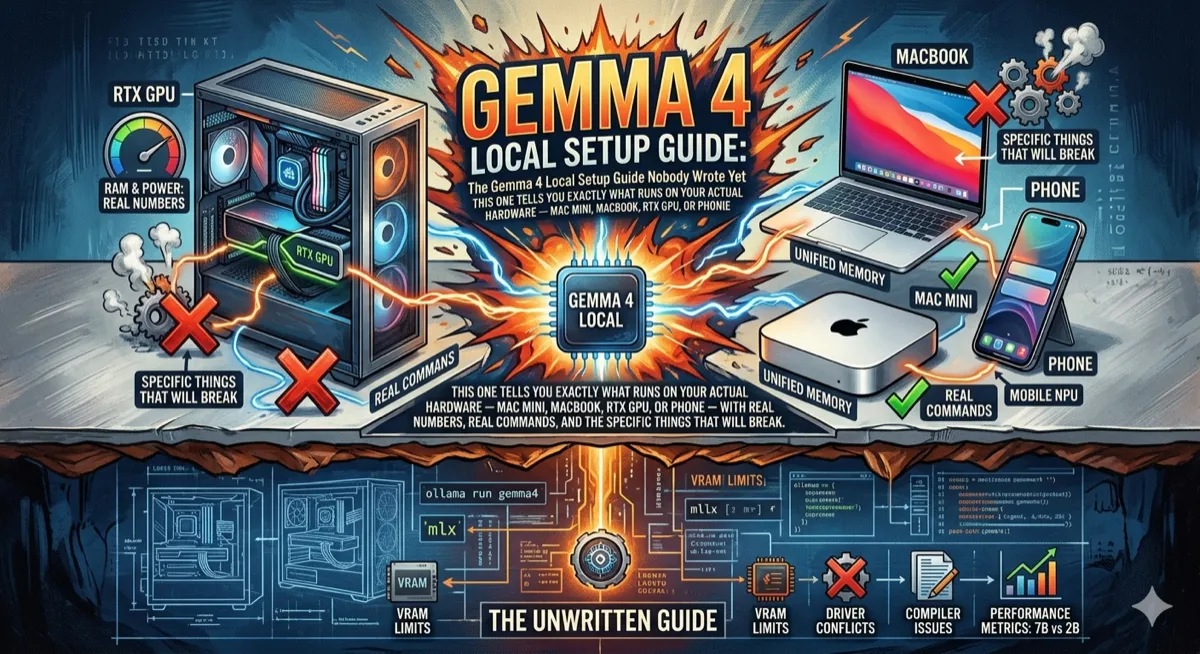
Here’s where the story gets interesting for the people actually building things. The models are available through Ollama, Hugging Face, LM Studio, and Google AI Studio (no setup required). On Apple Silicon, MLX support landed Day-0 — before most people had finished reading the announcement — thanks to a developer who shipped the full mlx-vlm v0.4.3 integration the same day as the release.
Tested performance on a MacBook Pro M4 Pro with 24GB unified memory running Ollama:
# Pull and run — E4B is the sweet spot for 24GB Macs
ollama run gemma4:e4b

# For 26B MoE, Q4_K_M is the right quantization on 32GB+ machines
ollama run gemma4:26b-q4_K_M

# Apple Silicon users: MLX gets ~40% better memory efficiency
pip install mlx-lm
mlx_lm.generate --model mlx-community/gemma-4-31b-it-4bit --prompt "Explain attention mechanisms"
Community benchmarks on a MacBook Pro M4 Pro (24GB) via Ollama show E2B at around 95 tokens per second and E4B at around 57 tokens per second — both genuinely conversational speeds. The 26B MoE starts crawling if your Mac doesn’t have at least 32GB, because it needs the full expert weights in memory even though only 3.8B are active per forward pass. That’s the tradeoff with MoE: compute efficiency, not storage efficiency.
For Mac mini users specifically: the M4 Pro 24GB model is a compelling machine here. It runs the 26B MoE at Q4 quantization with room for reasonable context windows, silently, via Ollama. The M4 Max with 128GB can run the 31B Dense at FP16 — something no consumer GPU can currently match because of VRAM limits.
Quick hardware reference: E2B (~4 GB at Q4): 8GB laptops, phones, Raspberry Pi. E4B (~5.5 GB at Q4): 16GB Macs, any modern laptop. 26B MoE (~16 GB at Q4): Mac mini M4 Pro 24GB, RTX 5060 Ti 16GB. 31B Dense (~18 GB at Q4): RTX 3090 24GB, Mac Studio M4 Max 48GB+. These are starting points — actual memory usage grows with context length.
One thing worth flagging, because Hacker News already is: Day-0 framework support is impressive, but several early testers are finding tokenizer inconsistencies and broken tool-call implementations in some community quantizations. If the model can’t do function calling in your setup, it’s probably a broken implementation, not a model limitation. Stick to official model tags in Ollama and verified weights from the google/ organization on Hugging Face until things stabilize.
The license is the real news
Previous Gemma releases came with Google’s custom “Gemma Terms of Use” — acceptable-use restrictions, content policies enforced by Google, usage limits that created uncertainty for commercial deployments. Gemma 4 ships under Apache 2.0. Full stop.
No monthly active user caps. No acceptable-use policy to violate. No restrictions on commercial deployment, fine-tuning, or redistribution beyond standard attribution. Hugging Face’s CEO Clément Delangue called it a huge milestone, and he’s right — this is the same license as Qwen 3.5, and more permissive than Llama 4’s community license.
For organizations building products on open models — especially in heavily regulated industries where you can’t outsource data to a third-party API — this matters enormously. You can run Gemma 4 on-premise, fine-tune it on proprietary data, and ship a product without having a conversation with Google’s legal team first.
“Every few months, something happens that quietly raises the floor of what’s possible on local hardware. Now Gemma 4, released under Apache 2.0, with Day-0 Apple Silicon support from a single developer who shipped before the announcement had finished being read. Each of these things compounds.”
— Borislav Bankov, Medium
What it’s built for (and what it’s actually good at)
Google’s positioning is squarely on agentic workflows. Native function calling, structured JSON output, multi-step planning, and a “configurable extended thinking” mode that you can turn on when you need the model to reason through something difficult before answering. It can also output bounding boxes for UI element detection, which opens up an interesting surface for browser automation and screen-parsing agents.
The architecture behind this is worth understanding briefly. Gemma 4 uses alternating attention: layers cycle between local sliding-window attention (covering 512–1024 tokens) and global full-context attention. The large models get up to 256K context via Proportional RoPE on the global layers, which handles long-distance dependencies without the quality degradation that usually comes at extreme context lengths. The KV cache is shared across the last N layers, which reduces memory and compute during inference.
Training data has a cutoff of January 2025, covers 140+ languages, and spans web text, code, mathematics, images, and audio. Safety evaluation follows the same protocols as Gemini’s proprietary models, according to Google.
Where it falls short
The 31B model is not the best open model in the world. The largest Chinese open-source models — particularly from the DeepSeek family — still lead on several benchmarks. Gemma 4 competes favorably against OpenAI’s open offerings and beats models many times its size, but the comparisons get less clean when you look at the full leaderboard picture.
Context window is another place where competitors win on paper: Llama 4 Scout offers a 10M token context window, which makes Gemma 4’s 256K feel modest in comparison. In practice, most production use cases don’t approach 256K tokens, but if your workflow does — genomics, full codebase analysis, very long legal documents — that ceiling matters.
Getting started in five minutes
If you want to try it without installing anything, Google AI Studio has it immediately at aistudio.google.com. For local setup:
# Option 1: Ollama (easiest, cross-platform)
curl -fsSL https://ollama.ai/install.sh | sh
ollama run gemma4:e4b         # 8GB+ RAM
ollama run gemma4:26b-q4_K_M  # 32GB+ RAM (Mac/PC)
ollama run gemma4:31b         # 24GB+ GPU VRAM

# Option 2: Hugging Face Transformers (needs transformers >= 5.5.0)
pip install "transformers>=5.5.0" accelerate
# Minimal Python inference example
from transformers import pipeline
pipe = pipeline(
"text-generation",
model="google/gemma-4-E4B-it",
device_map="auto"
)
result = pipe(
[
{"role": "system", "content": "You are a helpful coding assistant."},
{"role": "user", "content": "Write a Python function to parse ISO 8601 dates."}
],
max_new_tokens=512
)
print(result[0]["generated_text"][-1]["content"])For multimodal use, pass image URLs or base64-encoded images in the user message — the pipeline handles the rest. Audio input works the same way on the E2B and E4B models. The full model cards with multimodal examples are at ai.google.dev/gemma/docs/core/model_card_4.
The bigger picture
Since Google first released Gemma in February 2024, the community has downloaded the model family over 400 million times and built more than 100,000 variants — everything from fine-tuned medical assistants to multilingual chatbots to a Bulgarian-first language model (BgGPT) and, apparently, a cancer pathway discovery tool developed with Yale University.
That community surface is what makes Gemma 4 worth paying attention to beyond its benchmark numbers. Open models with permissive licenses and strong ecosystem tooling compound over time in ways that closed APIs don’t. The people building on Gemma are publishing their improvements, sharing their quantizations, and shipping integrations that make the models more useful for everyone.
Gemma 4 on the 31B doesn’t beat the absolute frontier. But it runs on your Mac, runs on your phone, runs in a data center you control, and ships under a license that means you can build a business on top of it without asking permission. That’s a different kind of value than raw benchmark supremacy — and for most real engineering problems, it might actually be the more useful one.
Sources: Official announcement (blog.google), Google DeepMind product page, Model card (ai.google.dev), Hugging Face models (huggingface.co/google), Architecture deep-dive (wavespeed.ai), Apple Silicon benchmarks (dev.to/akartit), Mac mini setup guide (dev.to/alanwest).
Token-per-second figures are community benchmarks and vary by configuration. Arena AI rankings reflect the leaderboard as of April 1, 2026.
If you’re building systems where local inference and model deployment matter, Fundamentals of Data Engineering provides essential foundations for understanding data pipelines and infrastructure that can support on-premise AI workloads.
The views expressed in this article are my own and do not reflect those of my employer, Mercedes-Benz. I am not affiliated with any of the companies or products mentioned. This article is based on publicly reported information and independent analysis.
Comments
Loading comments...