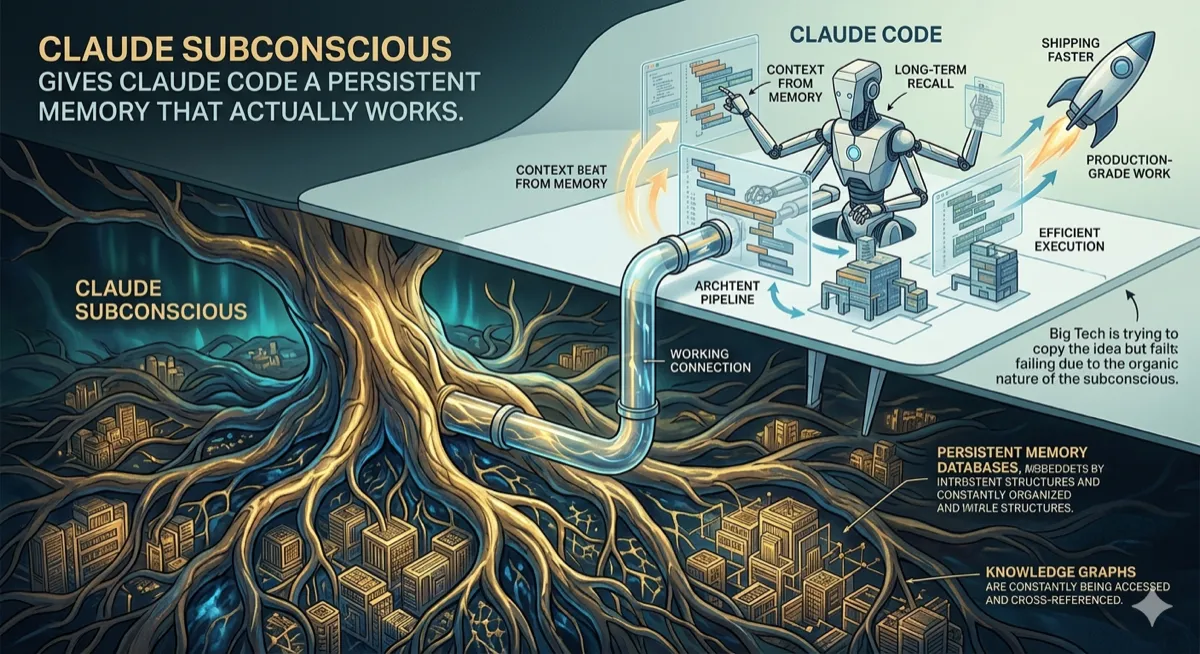
Claude Subconscious Gives Claude Code a Persistent Memory That Actually Works
A background agent that runs silently after every Claude Code response, building and surfacing context across sessions without adding latency to your workflow.
Developer Tools | Claude Code | AI Memory Systems | March 2026 ~12 min read
The Amnesia Problem
Every AI coding assistant has the same fundamental limitation: the moment you close a session, everything it learned about you disappears.
Claude Code can spend an hour learning your codebase, understanding your preferences, figuring out that you prefer functional patterns over classes, that your project has a weird legacy module that breaks if you touch it, that you always forget to run tests before committing. Then you close the terminal. Tomorrow, it starts from zero.
The workarounds are manual. You write a CLAUDE.md file explaining your project. You repeat the same context at the start of every session. You answer the same questions about your architecture again and again because the model cannot remember that it asked yesterday.
Claude Subconscious solves this by giving Claude Code a second brain that runs in the background, watches everything, and never forgets.
How It Works
The architecture is elegant. A Letta agent runs underneath your Claude Code session, invisible to your normal workflow. After every Claude Code response, the full session transcript gets sent to this background agent. The agent reads your files, searches your codebase, updates its persistent memory, and prepares context for your next prompt.
┌─────────────────────────────────────────────────────────────┐
│                     Your Terminal                            │
│  ┌─────────────────────────────────────────────────────┐    │
│  │              Claude Code (foreground)                │    │
│  │                                                      │    │
│  │  You: "Fix the auth bug in the login module"        │    │
│  │  Claude: [works on the fix]                         │    │
│  └──────────────────────┬───────────────────────────────┘    │
│                         │                                    │
│                         ▼ (after each response)              │
│  ┌─────────────────────────────────────────────────────┐    │
│  │           Letta Agent (background)                   │    │
│  │                                                      │    │
│  │  → Reads session transcript                         │    │
│  │  → Searches codebase for context                    │    │
│  │  → Updates memory blocks                            │    │
│  │  → Prepares guidance for next prompt                │    │
│  └─────────────────────────────────────────────────────┘    │
└─────────────────────────────────────────────────────────────┘
The key detail: this happens asynchronously. The background agent processes while you are reading Claude’s response or thinking about your next prompt. By the time you type your next message, the memory is already updated and the context is ready to inject. Zero added latency to your workflow.
The 8 Memory Blocks
The agent maintains persistent memory organized into semantic blocks. These are not chat logs — they are structured knowledge that evolves over time.
| Memory Block | What It Tracks |
|---|---|
| Coding Preferences | Style choices, patterns you prefer, conventions you follow |
| Project Architecture | Key decisions, module relationships, known gotchas |
| Session Patterns | Recurring struggles, time-based behaviors, common mistakes |
| Pending Items | Unfinished work, explicit TODOs, things you said you’d come back to |
| Active Guidance | Context to surface before your next prompt |
| Codebase Map | File structure, important paths, entry points |
| Error Patterns | Bugs you’ve hit before, fixes that worked |
| External Context | API docs referenced, libraries discussed, resources used |
Each block has a size limit. When a block fills up, the agent compresses older entries into summaries, preserving the signal while discarding the noise. A preference you mentioned once might be forgotten; a preference you’ve demonstrated 50 times becomes permanent.
Cross-Project Memory
The most powerful feature is the one that sounds simplest: one agent brain connects across all your projects simultaneously.
When you learn something in Project A — say, that a particular API returns dates in an unexpected format — that knowledge persists. When you open Project B three weeks later and encounter the same API, the agent already knows. It does not matter that you are in a different repository, a different terminal, a different session. The memory is yours, not the project’s.
This creates compounding returns. Every hour you spend with Claude Code makes every future hour more productive, across every project. The agent builds a model of you as a developer: your patterns, your preferences, your common mistakes, your strengths.
What the Agent Actually Does
After each Claude Code response, the background agent runs through a processing pipeline:
1. Transcript Analysis
The agent reads the full session transcript since the last sync. It extracts:
- Decisions made (you chose approach A over B)
- Preferences expressed (you said “I prefer X”)
- Errors encountered (something broke, here’s how it was fixed)
- TODOs mentioned (you said “I’ll come back to this”)
- Questions asked (you wanted to know about X)
2. Codebase Search
Based on the transcript, the agent searches your codebase for relevant context. If you were discussing the auth module, it reads the auth module. If you mentioned a config file, it checks the config. This grounds the memory in actual code, not just conversation.
3. Memory Update
The agent updates its memory blocks based on what it learned. A single session might:
- Add a new preference to Coding Preferences
- Update the Project Architecture block with a new gotcha
- Clear a Pending Item that was completed
- Add a new Error Pattern from a bug you hit
4. Guidance Preparation
Before your next prompt, the agent prepares Active Guidance — context it thinks you should have. This might be:
- A reminder about a TODO you mentioned yesterday
- A warning about a gotcha in the module you’re about to touch
- A suggestion based on a pattern it noticed
The Injection Point
The guidance surfaces automatically. When you send your next prompt to Claude Code, the background agent’s prepared context gets injected into the system prompt. Claude Code sees:
[System context from Claude Subconscious]

User preferences:
- Prefers functional patterns over classes
- Uses TypeScript strict mode
- Writes tests before implementation

Current project notes:
- The auth module has a race condition that appears under load
- Config changes require a server restart
- The /legacy folder should not be modified

Pending from previous sessions:
- TODO: Refactor the payment processing flow
- TODO: Add error handling to the batch job

Recent guidance:
- User was working on the login flow yesterday and hit a
  timeout issue. The fix was increasing the connection pool size.

[End context]
This context appears before your actual prompt. Claude Code receives your preferences, project knowledge, and relevant history before it starts thinking about your request. It does not have to rediscover that you prefer functional patterns — it already knows.
Setup
Claude Subconscious runs as a hook in Claude Code’s configuration. The hook fires after every response, sending the transcript to the background Letta agent.
# Install the Letta agent framework
pip install letta

# Clone and configure Claude Subconscious
git clone https://github.com/letta-ai/claude-subconscious.git
cd claude-subconscious
cp config.example.yaml config.yaml
# Edit config.yaml with your preferences

# Start the background agent
python -m subconscious.agent &

# Configure Claude Code to use the hook
claude config set hooks.post_response "python -m subconscious.hook"
Once configured, the agent runs silently. You do not interact with it directly. It watches, learns, and surfaces context — all without changing how you use Claude Code.
What It Learns Over Time
The value compounds with usage. Here is what the memory looks like after different usage periods:
After 1 day:
- Basic preferences extracted from explicit statements
- Current project structure mapped
- Recent TODOs tracked
After 1 week:
- Pattern recognition starts (you tend to forget X, you often need Y)
- Cross-session context (the bug you hit Monday informs Tuesday’s work)
- Implicit preferences detected (you never said it, but you always do it)
After 1 month:
- Deep project knowledge (not just structure, but history and rationale)
- Your “developer profile” is well-formed
- Guidance becomes genuinely predictive (it knows what you’ll need)
- Cross-project patterns emerge (you make the same mistake in every repo)
After 6 months:
- The agent knows your codebase better than you do
- Historical context spans major refactors and architectural changes
- Your preferences are so well-modeled that Claude Code “feels” personalized
Privacy and Data
All memory stays local. The Letta agent runs on your machine. Memory blocks are stored in a local SQLite database. Nothing is sent to external servers beyond the normal Claude API calls you are already making.
The configuration includes options for:
- Memory block size limits (default: 4KB per block)
- Retention period (default: indefinite, but configurable)
- Exclusion patterns (files/folders to never read)
- Encryption at rest (optional)
You can inspect the memory at any time:
python -m subconscious.inspectThis prints the current state of all memory blocks, so you can see exactly what the agent has learned.
Limitations
Latency on first prompt. The initial sync after opening a new project takes a few seconds as the agent reads the codebase. Subsequent prompts are instant because the agent processes asynchronously while you work.
Memory quality depends on usage. The agent learns from what you do. If your sessions are short and disconnected, the memory stays shallow. The best results come from regular, substantive usage over time.
No cross-machine sync. The memory lives on your local machine. If you switch computers, the memory does not follow (yet). A sync feature is planned but not shipped.
Guidance can be wrong. The agent makes inferences. Sometimes those inferences are incorrect. A preference detected from 3 examples might not be a real preference. The agent includes confidence scores, and low-confidence guidance can be disabled.
Letta dependency. The agent framework is Letta-specific. If you want to use a different agent framework, you would need to reimplement the memory system.
Why This Matters
The gap between an AI assistant and an AI partner is context. A partner knows your history, your preferences, your patterns. They do not need to be told things twice. They anticipate what you need before you ask.
Claude Subconscious is the infrastructure that makes Claude Code behave more like a partner. The model itself does not change. What changes is the context it receives — context that reflects everything you have worked on together, not just the current session.
This is different from fine-tuning. Fine-tuning changes the model’s weights based on your data. That requires significant compute, raises privacy concerns, and is not something you can do incrementally. Memory systems like Claude Subconscious leave the model unchanged and modify the input — a much simpler architecture with similar personalization benefits.
The AI coding assistant space is converging on this pattern. Cursor has persistent context. GitHub Copilot is adding workspace understanding. The question is not whether AI coding tools will have memory, but which implementations will be best. Claude Subconscious is an open-source answer that anyone can run, inspect, and modify.
Try It
git clone https://github.com/letta-ai/claude-subconscious.git
cd claude-subconscious
pip install -r requirements.txt
python -m subconscious.setup- GitHub, MIT License
- Requires Claude Code and Letta
- Python 3.10+
- Local SQLite storage
If you’re interested in how memory and context systems work at a deeper level, Designing Data-Intensive Applications covers the storage and retrieval patterns that make persistent agent memory possible.
Disclaimer: This article is based on the Claude Subconscious project’s public documentation as of March 2026. The author has no affiliation with the project. Memory quality depends on usage patterns and may vary significantly between users. The agent makes inferences that may not always be accurate. Local storage means memory does not sync across machines. Privacy characteristics described here reflect the current implementation and may change in future versions. Always review what the agent has learned using the inspect command.

Comments
Loading comments...